

AI video clipper
ClipAnything
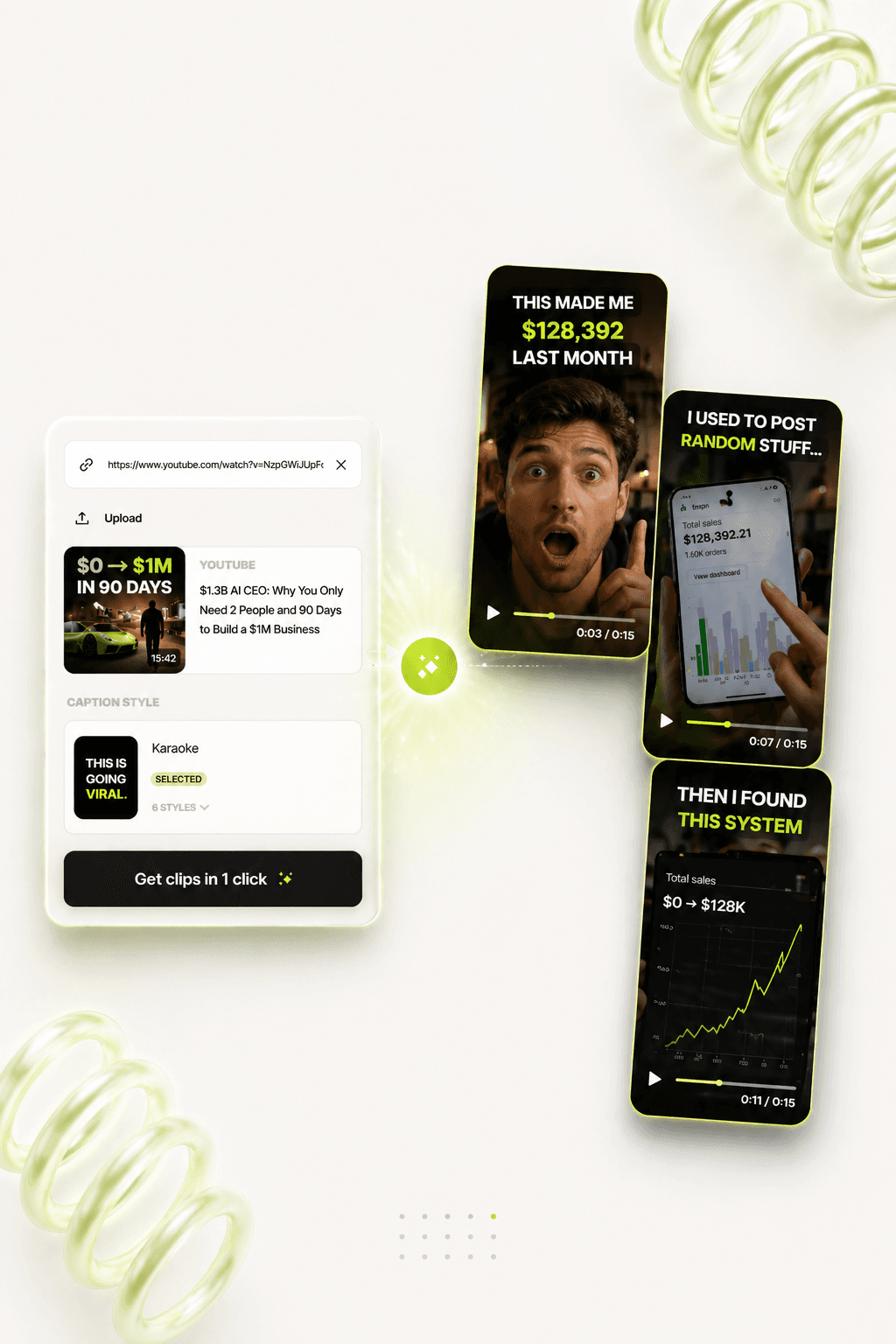
Turn webinars, podcasts, demos, and founder videos into ranked short-form clips with transcript context, captions, review, and export.
Use case
Stop scrubbing long videos just to find the few moments worth posting.
Find the clip before editing
ClipAnything scans the source, pulls transcript context, and surfaces the moments most likely to work as standalone short-form posts.
Rank hooks, not timestamps
Each candidate is easier to judge because the review queue keeps the hook, duration, and surrounding transcript close to the preview.
Approve the keepers first
Accept, reject, or refine candidates before spending time on captions, crop, style, and final renders.
Feed the social engine
Approved clips can become video posts, caption angles, carousel ideas, and follow-up text posts across the rest of DumbSMM.
Use this when
- You record webinars, podcasts, demos, interviews, or founder updates and know there are better posts hiding inside.
- Your team needs a faster way to choose clips before a video editor starts polishing anything.
- You want short-form output without turning every long recording into a manual timeline hunt.
What you get
Ranked clip queue
See suggested clips with duration, score, transcript context, and review state in one focused surface.
Caption-ready cuts
Move approved clips toward vertical exports with captions and styling decisions close to the source moment.
Less throwaway editing
Spend creative energy on the clips that already have a complete thought, a hook, and a reason to exist.
More output per source
Turn one substantial recording into a batch of short clips and related post ideas instead of publishing it once.
Workflow
From one long video to clips your team can actually review.
- 01
Drop in the source
Start with a YouTube link, podcast, webinar, product demo, founder video, or uploaded recording.
- 02
Let the transcript guide the search
ClipAnything uses spoken context to identify hooks, explanations, objections, and moments that can stand alone.
- 03
Review the ranked candidates
Compare clips before rendering, keep the strong ones, and discard weak cuts while the context is still visible.
- 04
Export social-ready clips
Send approved moments toward vertical framing, captions, and the rest of your publishing workflow.
FAQ
Questions people ask before switching workflows.
What is ClipAnything for?
ClipAnything helps SaaS teams, founders, and creators turn long-form video into a ranked queue of short-form clip candidates before editing time is spent.
Does it replace a video editor?
No. It reduces the searching and first-pass review work. A human still chooses the moments that deserve final styling, captions, and export.
What videos work best?
Videos with clear spoken context work best: product demos, webinars, interviews, podcasts, founder updates, customer conversations, and tutorials.
Why use transcript context?
A good short needs more than a timestamp. Transcript context helps you judge whether the clip has a hook, a complete idea, and enough clarity to work in-feed.
Keep reading